
An appointment reminder text for a contractor should say who is coming, when, for what, and how to change it, in two or three lines. Send three: one when the visit is booked, one the day before asking them to confirm, and one when you are on the way. That covers most in-home estimates and service calls.
Below is wording you can copy for each, what to do with the replies, details that make a visit more likely to go ahead, and the US consent basics for texting homeowners who asked you to contact them. Placeholders are in [square brackets].
The three texts that matter
| When | Purpose | Ask for a reply? |
|---|---|---|
| Straight after booking | Confirms the day, time and what to expect | No, but make it easy to change |
| The day before | Reminds them and checks they are still on | Yes: “Reply YES to confirm” |
| On the way | Tells them who is arriving and roughly when | No |
More than three starts to feel like spam for a single visit. If the appointment is booked weeks out, add one reminder a week before.
Text 1: when the visit is booked
Send this while you are still on the phone or within a few minutes of hanging up. It puts the details in writing and gives them your number saved against your business name.
Hi [First name], this is [Your name] from [Business name]. You’re booked for an in-home estimate for your [job] on [Day, Date] between [time] and [time] at [Address]. It takes about [length]. If anything changes, reply here or call [phone].
For a service call:
Hi [First name], [Business name] here. Your [service] visit is booked for [Day, Date], arrival window [time] to [time]. Our tech [Tech name] will text when they’re on the way. Reply here to change it.
Text 2: the day before
This is the one that catches cancellations before you drive out. Send it in the afternoon or early evening, when people are likely to read it.
Hi [First name], a reminder that [Your name] from [Business name] is coming tomorrow, [Day], between [time] and [time] for your [job]. Reply YES to confirm, or reply with a better time and we’ll fix it.
For an estimate where several people decide, such as a remodel or a new roof:
Hi [First name], see you tomorrow at [time] for the [job] estimate. If anyone else is part of the decision, it helps if they can be there too, so we only need to go through it once. Reply YES to confirm.
What to do with the replies
- YES: mark it confirmed. No need to reply unless they asked something.
- A new time: reply with the new slot within the hour, then treat it as a new booking and send Text 1 again.
- Cancel: thank them, ask if they would like to rebook later, and record the reason.
- No reply by the morning: call before you leave. A quick call is cheaper than a wasted drive.
Text 3: on the way
Hi [First name], [Your name] from [Business name] here. I’m on my way and should be with you around [time]. I’ll be in a [color] [truck or van].
If you are running late, say so before the window starts, with a new time:
Hi [First name], sorry, the job before yours ran over. I’ll be with you around [time] instead. If that no longer works, reply and I’ll rebook you.
Wording that helps visits go ahead
We could not find a study on contractor no-shows that we were able to check, so these are practical points rather than measured results:
- Use your name and business name. A text from an unknown number with no name looks like spam.
- Give a window, and keep it. “Between 9 and 10” is more believable than “morning”.
- Say how long it takes. People cancel when they think they have no time.
- Ask for decision makers to be there. It saves a second visit and a stalled estimate.
- Mention access. Gate codes, pets, parking and whether you need to see the attic or crawl space.
- Make changing easy. People who can reschedule with one text are less likely to vanish.
- Keep it short. Two or three lines get read. Paragraphs get skipped.
Texting consent: the US basics
This is not legal advice. Federal and state rules on texting customers change, so check them for your business and your state.
The Telephone Consumer Protection Act restricts robocalls and robotexts unless the person has given prior express consent or an exemption applies. In its February 2024 order on consent, the FCC also said that:
- Consumers can revoke consent in any reasonable way.
- Replying “stop”, “quit”, “end”, “revoke”, “opt out”, “cancel” or “unsubscribe” is a reasonable way to revoke it.
- Callers and texters must honor do-not-call and revocation requests within a reasonable time, not more than 10 business days.
- A sender may send one text confirming the request.
In practice: keep a record that the homeowner asked you to contact them and gave you the number, send texts about the job they asked about, and stop when they ask you to. If your reminders go out from software, ask the provider how it handles opt-outs. Some states have their own texting and calling laws, so check your state’s rules before sending marketing texts.
Track your own no-show rate
You do not need an industry benchmark. You need your own number, before and after you start sending reminders. Each month, write down:
- Visits booked: [A]
- Visits where nobody was home or they canceled on the day: [B]
- Your no-show rate: B divided by A
If you booked 40 visits and 6 fell through, that is 15%. Each one cost you the drive and the time slot. Run the reminders for two or three months and compare. That comparison is the only figure that matters for your business.
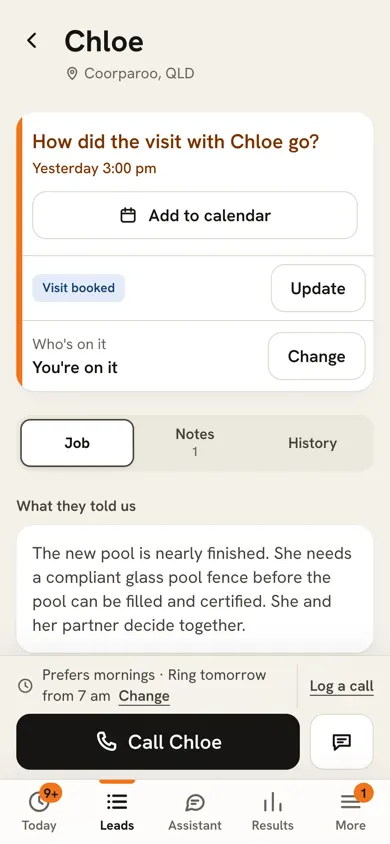
If PreBuild finds homeowners for you, a visit you book in the PreBuild app sits in your day, and after the visit the app asks how it went, so the estimate does not get forgotten. For booking more visits in the first place, see our pages on appointment setting and speed to lead.
See how the app works
Common questions
What should an appointment reminder text say?
Who is coming, from which business, the day and time window, what the visit is for, roughly how long it takes, and how to change it. Ask them to reply YES in the day-before reminder.
When should I send a reminder text before an in-home estimate?
Send one when the visit is booked, one the afternoon or evening before, and one when you are on the way. Add a reminder a week out if the visit was booked weeks ahead.
Do I need permission to text a customer in the US?
Federal law restricts robotexts without prior express consent, and the FCC says people can revoke consent by replying words such as STOP. Keep a record that the homeowner asked you to contact them, and check your state rules. This is not legal advice.
What if the homeowner does not reply to the reminder?
Call them before you leave for the visit. If you cannot reach them, decide whether the drive is worth it, and leave a voicemail and a text offering to rebook.